

This article opens with a clear path for recording impressions after a CRV task. Paul H. Smith’s demonstration sessions guide the flow that well-practiced viewers follow.
Start by capturing raw data without analysis. Short notes keep bias out and preserve the integrity of the target material.
We will show one concrete example and a brief case that models the move from first impressions to a finished report. Follow the protocol and your notes stay usable for later review.
Objective reports act as the bridge between perception and practical insight. By the end of this section, you will see the structure that helps any viewer produce clear, reliable results.
Key Takeaways
- Capture raw impressions first, then synthesize them into a brief report.
- Follow a structured protocol like Paul H. Smith demonstrated.
- A clear example and case provide a reusable template.
- Keep notes factual and avoid personal overlay.
- Use the linked remote viewing exercises for practice drills.
Understanding the Fundamentals of Controlled Remote Viewing
Understanding the roots and rules clarifies why disciplined viewing yields usable information.
Definition and scope: Remote viewing began as a disciplined method at the Stanford Research Institute in the early 1970s. Ingo Swann coined the term while researchers tested whether psi could deliver verifiable information about distant targets.
The method treats perception as a trainable ability rather than a rare talent. Coordinate remote viewing added structure so viewers could produce repeatable, testable results under set conditions.
Historical context: Government programs later applied these protocols for intelligence work. The Star Gate project, declassified in 1995, revealed how agencies used viewing sessions in real-case efforts.
Strict protocols separate genuine data from mental noise. By controlling environment and procedure, individuals increase the chance that impressions reflect the target, not wishful thinking.

- Originated at the research institute with systematic testing.
- Coordinate remote methods made results verifiable.
- Protocol and discipline protect the integrity of information.
The Role of the Remote Viewer in Data Acquisition
A skilled viewer functions like a sensitive instrument, shifting attention between the room and a distant site to collect raw impressions.
During a session, the remote viewer maintains a state of bilocation. That balance keeps awareness anchored locally while perception reaches toward the target.
The viewer must remain open to incoming information without guessing identity. This discipline preserves the integrity of collected data and improves later analysis.

“By separating description from identification, the viewer gives analysts a clear path to verify results.”
Key practical duties include staying focused on the question and recording impressions in real time. Those habits distinguish professional practice from casual psi work.
- Hold bilocation and resist premature identification.
- Record sensory cues—shape, smell, emotional tone—without labels.
- Manage mental noise so the information remains as pure as possible.
Every session is a chance to refine ability and improve intelligence value. For related practice drills, consider this short guide: practice exercises.
Preparing the Environment for a Successful Session
Before any session begins, the environment should be tuned so external cues stay out of the data.
Setting the Scene
Neutral, quiet rooms help the viewer focus on the target without distraction. Professional labs used featureless walls, acoustic tiles, and controlled lighting to reduce sensory clutter.
Control of conditions gives individuals the time and mental space needed for deep concentration. Even solo viewing sessions benefit from consistent setup and a simple chair and desk.

The monitor’s role is practical and procedural. A monitor checks protocols, limits interruptions, and ensures the room stays neutral. This support protects the integrity of psi information.
- Prepare a distraction-free room with steady lighting.
- Keep furnishings minimal to avoid local cues.
- Confirm protocols and timing before any sessions begin.
“Proper preparation of the environment greatly increases the likelihood of clear, verifiable results.”
How to Write a Controlled Remote Viewing Session Summary
Begin by isolating the clearest, most verifiable impressions from your notes. Read every page and mark structural cues, sensory details, and repeated motifs. This step preserves the integrity of raw data and reduces analytical overlay.
Compiling germane impressions means keeping focus on shape, land, textures, smells, and sounds. For example, the Beijing Olympics case noted a “labyrinthian” layout and a persistent “flapping” sound. Those items carry higher diagnostic value than stray images.

Structuring the narrative
Arrange entries in logical order: general gestalt, key sensory cues, then specific oddities. Use short paragraphs and clear labels so an analyst can scan for matches quickly.
Finalizing the data
Do not add new impressions at final edit. Keep the report at a high level and emphasize accuracy over quantity. The final level should capture the essence of the target and stand as the formal record for later feedback.
- Organize raw notes into logical order highlighting core impressions.
- Review all pages and select the most germane data points.
- Write at a high level, focusing on perception and structure rather than exhaustive lists.
Defining the Core Principles of the Method
Foundational principles give structure so impressions can be tested and compared.
Remote viewing is the acquisition and description of information blocked from ordinary perception by distance, shielding, or time. This definition frames the practice as an intentional, goal-oriented method rather than casual psychic work.
The core principles, developed at the Stanford Research Institute, set this method apart from clairvoyance or channeling. They treated extrasensory perception as an ability that could be trained and measured.
Adherence to protocol keeps reports useful for analysis and for intelligence purposes. Practitioners focus on description, not naming, to reduce analytical overlay and preserve raw data quality.

“By emphasizing disciplined description, the method yields data that can be verified and compared.”
- Intentional, goal-directed process.
- Trainable extrasensory perception under protocol.
- Results suited for scientific and intelligence review.
| Principle | Purpose | Origin |
|---|---|---|
| Description over ID | Minimizes bias during reporting | Stanford Research |
| Structured protocol | Ensures repeatability | Research institute standards |
| Training of ability | Improves accuracy | Military and civilian studies |
Managing Mental Noise and Analytical Overlay
Mental clutter often disguises itself as meaningful detail, and that noise must be recognized early.
Analytical overlay (AOL) happens when the mind stitches sparse impressions into a confident story. That urge leads a viewer away from sensory description and toward naming the target prematurely.

Identifying Distractions
Watch for sudden certainty, added labels, or familiar memories appearing in your notes. When these pop up, mark them as AOL and pause.
Record the interruption briefly, then return your attention to raw perception: shapes, textures, sounds, and tones rather than identities.
- Note moments of guessing as AOL and move on.
- Accept interruptions as part of practice, not failure.
- Keep a short log of recurring overlays for later review.
“Treating analytical overlay as information about your process, not the target, sharpens future reports.”
With discipline, the viewer improves the clarity of incoming information and raises the intelligence value of reports. For related practice that strengthens this skill, see improve psychic readings.
The Importance of Blinding Protocols
Blind protocols keep prior knowledge from leaking into impressions and protect the veracity of collected data.
Single-blind designs ensure the viewer receives only a tasking number and no contextual clues. This prevents prior knowledge or deduction from shaping impressions and keeps the information pure.
Double-blind setups extend that shield to the monitor and observers. When no one at the site knows the target, accidental hints and subtle cues cannot bias results.

Strict blinding protects the integrity of psychic functioning and psi research. It also strengthens the intelligence value of reports by separating perception from guesswork.
“Blinding is not an optional safeguard; it is essential for credible, testable results.”
- Multiple viewers working blind can produce consensus that raises reliability.
- Monitors enforce conditions and prevent accidental disclosure.
- Training under blind conditions builds discipline for real-case work.
| Protocol | Who is Blind | Key Benefit |
|---|---|---|
| Single-blind | Viewer | Prevents target knowledge from influencing impressions |
| Double-blind | Viewer and monitor/observers | Eliminates cueing and observer bias |
| Multi-viewer blind | Several viewers | Consensus increases confidence in results |
In practice, every session should treat blinding as a core protocol. That stance preserves the method’s credibility and keeps collected information traceable to perception rather than prior knowledge.
Navigating the Different Stages of a Session
Clear order helps the viewer build an accurate picture over time. Each stage has a purpose and captures specific kinds of information.
Stage One Gestalts
Stage one focuses on the major gestalt of the target. The viewer notes broad elements: water, land, large structures, or motion.
Start with brief labels and loose sketches. These big-picture cues become anchors for later detail.

Transitioning to Higher Stages
As you move up a level, record sensory impressions: textures, smells, sounds, and temperature. Keep entries short and factual.
Maintain protocol and resist early identification. The transition is a critical time for managing mental noise and avoiding guesses.
“Each stage builds on the prior one, creating a cumulative record that improves accuracy.”
- Navigate stages in order to gather layered information.
- Use stage one gestalt as the anchor for later detail.
- At higher levels, focus on specific sensory data and conceptual cues.
| Stage | Main Focus | Typical Output |
|---|---|---|
| Stage 1 | General gestalt (land, water, structure) | Short labels, broad sketch |
| Stage 2 | Sensory detail (texture, smell, sound) | Lists of impressions, simple drawings |
| Higher Levels | Conceptual and relational info | Refined descriptions, contextual notes |
Utilizing Sketches to Enhance Perceptual Data
Visual notes help the viewer track changes as the signal line strengthens and refines.

Sketches give form to fleeting impressions. A simple diagram can show relationships among elements at the target. It often reveals layout, scale, and motion that short phrases miss.
In one notable example, sketches captured the stadium shape and fireworks at the Beijing Olympics. Those drawings matched later imagery and supported the raw data.
Sketching also works as real-time objectification. As perception becomes clearer, lines and shapes morph and the drawing becomes more detailed. That evolution records the strengthening signal line.
- Use sketches to record spatial relationships and structure.
- Rough drawings reduce analytical overlay by focusing on form.
- Regular practice trains the eye to translate psi impressions into clear visuals.
“Many successful viewers find sketches provide the most compelling evidence of non-local perception.”
| Role | Benefit | Example |
|---|---|---|
| Initial sketch | Captures gestalt and orientation | Loose plan or silhouette |
| Refined drawing | Shows spatial detail and relationships | Stadium layout and adjacent features |
| Annotated sketch | Links image with sensory notes | Labels for texture, motion, or sound |
Practice tip: Draw fast, then refine. Keep images simple and pair them with brief labels. Over time, sketches will strengthen the quality of your results in this article and beyond.
The Function of the Monitor in the Process
A trained monitor directs timing, logs data, and catches overlays before they become part of the record.
In practice, the monitor keeps the protocol strict and the environment neutral. Paul Smith notes the monitor and viewer sit at opposite ends of a table in a featureless room. This layout limits cues and supports concentration.
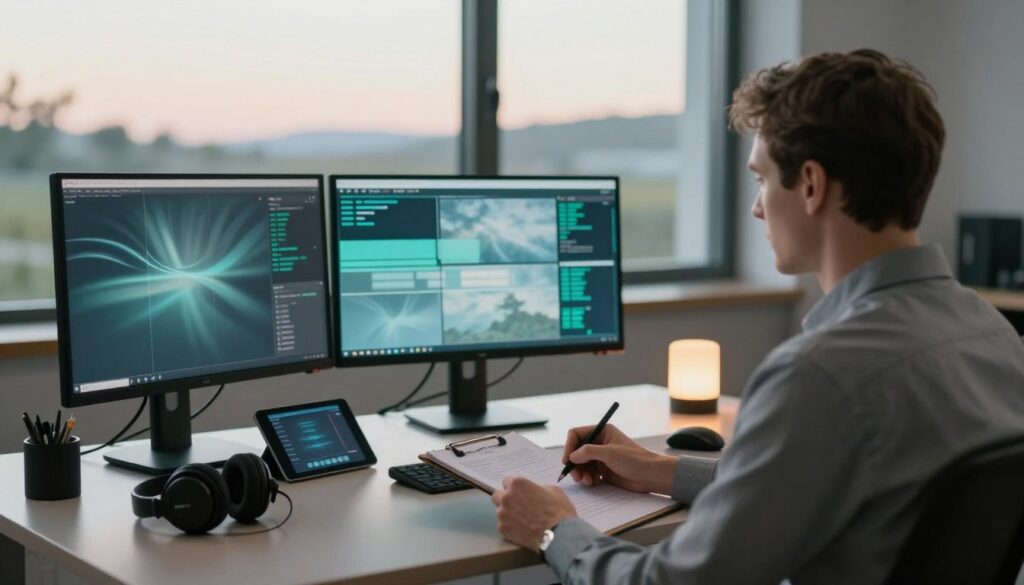
The monitor asks precise questions that steer the task without suggesting identities. They mark moments of analytical overlay so the raw information stays separate from guesses.
Monitors also:
- Record impressions in order and timestamp entries for later analysis.
- Protect protocol so results remain usable for intelligence review.
- Act as the neutral person who sometimes alone knows the target in operational work.
“A good monitor preserves the integrity of the process and raises the quality of results.”
| Role | Primary Duty | Benefit |
|---|---|---|
| Log keeper | Records data and order | Provides traceable record for feedback |
| Questioner | Directs focus with precise prompts | Limits analytical overlay |
| Guardian | Enforces protocols and conditions | Protects neutrality and accuracy |
Distinguishing Between Description and Identification
A strict split between describing and identifying preserves the integrity of gathered impressions.
Description focuses on sensory detail: color, texture, scale, motion, temperature, and sound. These items form usable data an analyst can verify without guessing.
Identification names the site or object. That leap often invites analytical overlay and mental noise. When a viewer assigns a label early, accuracy usually falls.
Make the definition of success clear: rich description that stands independent of labels. The best viewing reports list sensory cues first and reserve naming until feedback confirms those cues match the target.

Practical rule: if you think you know the answer, keep describing anyway. Report the impressions, not the interpretation.
“Your role is reporter of sensory data, not interpreter of what that data might mean.”
- Describe textures and forms; avoid early labels.
- Log sensory items for later verification of the target.
- Preserve neutrality so psi impressions yield stronger results.
Real Time Objectification of Impressions
Capturing perceptions in real time preserves fleeting details that memory will erase.
Real-time objectification means recording impressions the moment they surface. Use pen and paper so short-term memory cannot alter the data.
The remote viewer should note every perception: words, sketches, textures, or concepts. Even fragmentary items matter for later analysis and verification.
Externalizing impressions prevents the mind from editing or interpreting them before they are fixed. This practice gives analysts a clear trail to spot mental noise and patterns.
Keeping live notes also reinforces contact with the target and keeps awareness anchored in the field. Over time, this habit raises the quality of psi information and professional reliability.
“Record everything, no matter how small; fragments often become the most useful clues.”
- Record impressions immediately.
- Use sketches alongside brief labels.
- Mark suspected mental noise for later review.
| Practice | Benefit | Use |
|---|---|---|
| Immediate notes | Preserves transient data | Acts as raw record for feedback |
| Sketch + label | Clarifies spatial cues | Supports analyst comparison |
| Tag overlays | Highlights mental noise | Aids training and accuracy |
For practical drills that strengthen live recording skills, see this short guide: practice drills.
Why Feedback is Essential for Skill Development
Seeing the target after a session is the single most powerful lesson for a viewer. Feedback lets you compare notes and judge whether impressions matched the real site.
Good feedback transforms raw data into usable knowledge. Viewers learn which cues were accurate and which came from mental noise or analytical overlay.

In structured practice and in intelligence work, feedback calibrates protocols and performance. Regular review shows patterns across sessions and reveals strengths in perception and areas that need work.
“Feedback is not about being right; it is about understanding the process.”
- Compare your notes with the actual target to verify impressions.
- Use results to spot recurring overlays and refine conditions.
- Apply lessons from feedback to raise overall ability and reliability.
For readers seeking a practical next step, this psychic powers guide offers drills and case examples that reinforce feedback-driven learning.
Applying Consensus Analysis to Complex Targets
Consensus analysis turns scattered impressions into usable intelligence by spotlighting overlaps across independent reports.

Assign multiple viewers to the same target and compare notes. Look for repeated shapes, textures, and tones that appear across reports.
When several people report similar details, that overlap raises confidence in the data. This redundancy acts as an error-correction mechanism against individual mental noise.
- Reduce noise: discard unique items that lack corroboration.
- Highlight matches: prioritize elements reported by two or more viewers.
- Synthesize: an analyst merges consistent cues into a concise set of conclusions.
Consensus analysis proves especially useful for complex targets or multi-layered cases where a single session cannot capture the full picture.
“By comparing independent results, teams increase the reliability of information used in operational and research work.”
Every session contributes value. When viewers combine efforts, the overall ability to produce high-quality intelligence improves.
Common Pitfalls to Avoid During Documentation
Common documentation mistakes quietly eroded the value of an otherwise solid viewing record. Missing notes or rushed entries often removed detail that mattered later.
Record impressions in real time. When a viewer delayed, fragments were lost and feedback became less useful.
Avoid letting analytical overlay dominate your notes. Mark guesses and emotional reactions so they stayed separate from raw data.

Resist the urge to name the target. Guessing skewed subsequent analysis and reduced confidence in results.
- Keep short, timestamped entries so nothing vanished with time.
- Focus on the point: describe sensory cues rather than labels.
- Review notes after the session and remove personal interpretation.
“Your notes were the only record of perception; treat them as the single source for later feedback.”
Discipline paid off. A trained remote viewer who followed protocol produced clearer reports and stronger verification in every remote viewing session.
Conclusion
, A committed viewer accepts that skill builds with steady practice and careful review. Embrace short drills, honest feedback, and quiet notes that preserve raw impressions.
Every viewer must follow strict protocols that protect data and raise reliability. Focus on descriptive cues rather than early identification and mark moments of mental noise as they arise.
Discipline matters. Managing bias and keeping clear records turns perception into usable intelligence. The dedicated viewer who embraces this method will find accuracy and clarity grow with time and effort.
FAQ
What is controlled remote viewing and how does it differ from other methods?
Controlled Remote Viewing (CRV) is a structured protocol developed for disciplined perception of distant or unseen targets. It emphasizes stages, blind protocols, and repeatable reporting formats. Unlike casual clairvoyance or informal ESP practices, CRV uses standardized steps, monitoring, and documentation to reduce bias and increase reliability.
Who typically serves as the remote viewer and what training do they need?
A remote viewer is an individual trained in perception-focused techniques and protocol adherence. Training often covers stage progression, sketching methods, handling analytical overlay, and disciplined record keeping. Many programs borrow practices from Institute research such as protocols refined at the Stanford Research Institute for operational rigor.
What does an effective preparation environment look like?
A good environment is quiet, free of interruptions, and physically comfortable. Lighting, minimal electronic noise, and a clear desk help. The monitor should ensure the viewer is briefed on protocol, given coordinates or a blind cue, and understands time limits for each segment.
What are the key elements to include when compiling germane impressions?
Record raw sensory impressions first—shapes, textures, colors, temperatures, and movement. Note emotional tones and any strong anomalous hits. Avoid early identification; keep impressions separate from analysis. Timestamp and label each entry for later cross-checking.
How should the narrative be structured for clarity and usefulness?
Start with raw data and sketches, then list stage-by-stage impressions. Follow with observational notes and any shifts in perception. Conclude with tentative identifiers marked clearly as speculative. Use concise sentences and consistent labeling so others can follow the chain of evidence.
What steps finalize the data for submission or archival?
Finalizing includes proofreading entries, securing sketches and recordings, and adding metadata: date, session length, viewer name, monitor name, and protocol version. Store materials in a tamper-evident format and include a brief methods note describing blinding and feedback status.
What core principles guide the method and reporting?
Core principles include protocol fidelity, blind targeting, chronological logging, separation of perception from analysis, and transparent feedback. These standards promote repeatability and allow independent verification.
How can a viewer identify and reduce mental noise and analytical overlay?
Watch for verbal reasoning, memories, or logical leaps that interrupt raw impressions. Use short, timed stages and return to simple sensory descriptors. The monitor can flag likely overlay moments and prompt a reset or grounding exercise.
Why are blinding protocols important and how are they implemented?
Blinding prevents cues that could bias results. Implement by using coded coordinates, sealed envelopes, or third-party target generation. Monitors should avoid descriptive prompts and maintain strict separation between target selection and the viewer.
What happens in Stage One and how are gestalts recorded?
Stage One emphasizes gross spatial and sensory gestalts—basic shapes, major textures, and dominant motions. Record these as short, raw phrases and quick sketches. These broad impressions set the context for deeper probing in later stages.
How do viewers transition to higher stages of perception?
Transition occurs by refining focus from gestalt to specifics: sensory detail, functional aspects, and relational data. Use targeted probes and longer timed segments while preserving the separation between observed data and interpretation.
What role do sketches play in enhancing perceptual data?
Sketches externalize impressions and reveal spatial relationships that words may miss. Quick diagrams help the viewer and monitor track changes and compare against target imagery during feedback. Keep sketches labeled and dated.
What is the monitor’s function during a session?
The monitor guides protocol timing, ensures blinding, records timestamps, and helps manage overlay. They prompt stage transitions, note interruptions, and preserve session integrity without suggesting content.
How should one distinguish between objective description and tentative identification?
Label raw descriptors (color, shape, texture) separately from interpretations (purpose, name, location). Use tags like “Perception:” and “Interpretation:” or grade identifications as speculative. This preserves the integrity of empirical impressions.
What is real-time objectification of impressions and when is it used?
Real-time objectification converts fleeting impressions into concrete records during the session—sketches, short bullet lists, and sensory tags. Use it whenever an impression appears strong enough to risk loss, especially in timed stages.
Why is feedback essential for skill development and validation?
Feedback lets viewers compare perceptions against verified targets, revealing patterns of accuracy and common errors. Regular, honest feedback accelerates learning, refines protocol use, and supports consensus analysis.
How does consensus analysis help with complex or ambiguous targets?
Consensus analysis pools multiple sessions or viewers to find recurring elements. Shared impressions gain weight, helping distinguish reliable data from individual noise. Use statistical and qualitative comparison methods for robust synthesis.
What common documentation pitfalls should practitioners avoid?
Avoid mixing impressions with research notes, using unclear timestamps, and failing to record protocol versions. Don’t let identification claims replace raw data. Store originals securely to prevent accidental edits or loss.
How much time should each stage typically take during a standard run?
Times vary by protocol but commonly range from one to ten minutes per stage. Short stages preserve raw perception; longer probes can be used for clarification. Always note actual durations for auditability.
Can CRV be used for intelligence or research applications?
Yes. Organizations have applied CRV in exploratory research and specific intelligence tasks under strict ethical and procedural safeguards. Successful use depends on rigorous blinding, quality controls, and careful integration with other data sources.
What are practical measures for protecting session integrity during storage and sharing?
Use secure digital archives, read-only formats like PDFs with time stamps, encrypted storage, and access logs. Maintain original handwritten notes as primary records and include a methods appendix when sharing results.