

Remote viewing has fascinated the world since the term emerged in 1970. Media coverage on major networks helped spark public interest, and pioneers like Joe McMoneagle brought credibility to early work.
This page offers a clear guide for any student or person eager to learn the controlled remote method. You will read practical notes on running a session, choosing a target number, and managing practice content for reliable results.
Patience matters. A skilled remote viewer trains to access information about unknown places and events. Following strict protocol, such as the Monroe Institute model, preserves the integrity of each viewing attempt.
Use the linked exercises as an example practice resource: remote viewing exercises. With steady practice you can sharpen skills and learn to link intuition with specific events and feedback.
Key Takeaways
- Origins: The term began in 1970 and gained broad attention.
- Protocol: Following an established method keeps sessions reliable.
- Practice: Choose consistent numbers and manage content for quality results.
- Skill: A dedicated viewer can access useful information with training.
- Resources: Try guided exercises for structured progress and clear feedback.
Understanding the Importance of Double Blind Protocols
Ensuring no one knows the assigned number is essential for honest practice and reliable feedback. A true blind environment removes cues that might influence the viewer and preserves the integrity of each session.
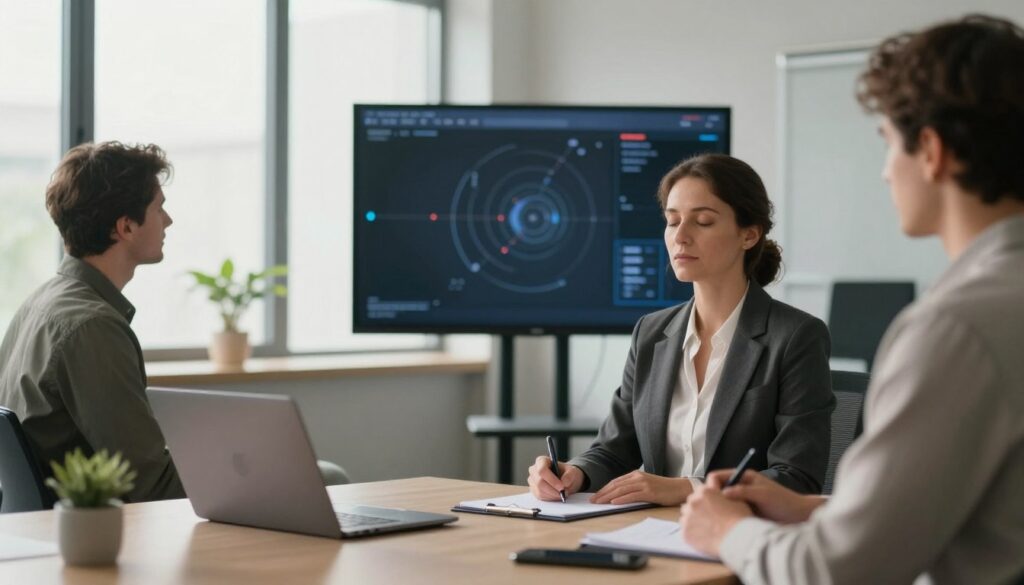
The Role of the Monitor
The monitor is the person who stays with the viewer and keeps the process on track without giving hints.
Marinda Stopforth at the Monroe Institute stresses that this protocol prevents anyone involved from knowing the location or identity tied to any number.
- Monitors guide pacing and record observations while avoiding influence.
- Training includes learning the monitor role so students grasp its impact on viewing targets.
- The Target Vault, curated by Paul H. Smith, supplies vetted targets for controlled practice sessions.
“Every number assigned to a target is kept secret until the session is complete.”
Regular practice with these rules builds consistency. When protocols are followed, feedback stays authentic and useful for improving accuracy over time. For a related exercise in focused intention and healing energy, try this guided resource: send someone healing energy.
How to Set Up a Double Blind Remote Viewing Target
Start every session with a clear, unbiased coordinate chosen from a reputable source. This reduces guesswork and protects your process.
Selecting Your Target Coordinates
Choose coordinates from a vetted list such as the 28 non-violent targets provided by Daz Smith. These are ideal for basic training and stable practice.
Write the target number on a separate slip of paper before you begin. Keep that paper hidden until the embargo ends.

Maintaining the Blind Environment
Copy the coordinates on the left side of your page when you are ready to begin your viewing session. This keeps your notes organized and time-stamped.
- Do not click any link that could reveal feedback until you finish your work.
- Keep recorded information in a fixed order to streamline later analysis.
- After the embargo period, print the feedback image and add it to your training log.
Whether you use controlled remote viewing or another method, aim for objectivity. A calm, ordered approach preserves results and builds skill.
For guided readings and complementary practice, see this psychic readings resource.
Best Practices for Conducting Your Viewing Session
Create a calm workspace and clear intentions before each viewing session. Find a quiet place where you can work undisturbed for the full practice period.
Write your name, the date, and the start time in the upper right-hand corner of your page. Note the target number and coordinates you will use. This simple record keeps your training orderly and searchable.

Work through targets in any order that suits you. You may choose sequential work or pick numbers at random. After you finish, write “end session” or “end” and the current time at the bottom of your paper to close the connection.
Compare your results with the feedback image and print that image. Attach the feedback to the back of your transcript for a permanent training record.
- Use the controlled remote viewing method for clear, repeatable notes.
- Treat feedback comparison as core training that sharpens perception and skill.
- Keep logs in order so trends and improvements become easy to review.
“Consistent process and careful record-keeping make improvement measurable.”
For a related guide on improving readings, see this improve psychic readings resource.
Conclusion
Regular training and honest process control let a person build skill in accessing unseen information. Practice, protocol, and careful feedback, guide steady growth.
Mastering remote viewing takes time and consistent sessions. Keep numbers and feedback secure until you finish each session. Compare notes with the feedback image to learn what works.
Whether you are a beginner or an experienced remote viewer, this page offers an example method for ongoing improvement. For further reading on related perception skills, see exploring clairvoyant abilities.
FAQ
What is the purpose of a double blind protocol in controlled viewing?
A double blind protocol removes bias by ensuring neither the viewer nor the session monitor knows the real description of the chosen location or object. This strengthens results and protects the integrity of the practice, so outcomes rely on perception rather than suggestion.
Who should act as the monitor during a session?
Use an impartial person who understands the procedure but has no access to the answer key. Monitors from academic settings, certified trainers, or experienced practitioners such as those from independent RV groups provide reliable oversight without influencing the viewer.
What methods work for assigning target coordinates or numbers?
Use a randomized system like numbered envelopes, random-number generators, or shuffled image decks. Labeling each option with a sequence of digits prevents patterning. Keep records of assignments separate from session notes until feedback time.
How can I maintain the blind environment during practice sessions?
Limit communications about targets, store materials in locked folders, and use digital timestamps for all files. Conduct sessions in a quiet, distraction-free room and ensure any electronic devices do not reveal metadata or file names that hint at content.
What should a viewer record during the session?
Record impressions, sketches, sensory descriptions, perceived scale, and any emotional or temporal cues. Note timestamps and any procedures followed. Keep the report factual and avoid speculation or consulting reference materials until feedback.
How is feedback delivered after a session?
The monitor reveals the correct file or image only after the session report is finalized. Feedback should include the original target materials, objective comparisons, and constructive notes. Use side-by-side comparisons to identify matches and discrepancies.
How often should someone practice controlled sessions to improve skill?
Short, regular practice—two to four sessions per week—helps build consistency. Balance intensity with rest days and review feedback carefully. Quality and reflection on results matter more than volume.
What are common errors that degrade results?
Leading questions, premature feedback, poor randomization, and environmental distractions are frequent issues. Avoid sharing session context, keep protocols strict, and use independent validation when possible.
Can locations, events, or objects be used as targets?
Yes. Targets can be physical places, recent events, or specific objects. Choose clear, documentable items for training sessions so feedback is verifiable and measurable.
What tools help manage target pools and session records?
Secure spreadsheets, encrypted folders, and timestamped journal apps work well. Use simple labeling conventions and back up all files. Tools from research labs or basic project management apps keep targets organized without leaking content.