

Discover a simple path to test your intuition and learn a practical skill. This page hosts a curated set of photographs taken by the author and her husband, Jim, during travels around the world.
Each photo is chosen to be safe and benign. They let you practice a session and build confidence without pressure.
As you spend time with these images, your mind learns to notice subtle impressions. The process can deliver useful data and fresh information you can use in daily life.
Ready to begin? Try a few practice exercises and simple steps that guide your focus. For helpful drills, see the practice exercises at practice exercises.
Key Takeaways
- The page features photos taken by the author and Jim for practice.
- Images are safe, benign, and suited for building abilities.
- Short sessions help your mind produce useful data.
- Regular practice improves accuracy and confidence.
- Helpful drills and exercises are linked for beginners.
Understanding the Basics of Remote Viewing
Learning to describe a specific item sharpens the mind and builds measurable skill. Start with simple, provable exercises. That way you learn how to recognize genuine impressions and separate noise.

Defining the Focus
The term target means whatever the viewer aims to describe: an object, place, activity, or event. A clear example helps—if a photograph is sealed in an envelope, that photo becomes the item to describe.
A hard target is one you can verify. If the item can be proven, you get concrete data to score your session. Esoteric subjects, like unverifiable alien accounts, do not give firm confirmation.
The Role of Feedback
Feedback is essential. It provides the information you need to check accuracy and improve. Regular feedback turns scattered impressions into useful data and shows which methods work.
- Practice with provable targets to build confidence.
- Professional training highlights hard targets for honest assessment.
- Maintain a clear mind to distinguish signal from noise.
For complementary exercises that strengthen focus and energy work, see how to send someone healing energy.
Accessing Free Online Coordinate Remote Viewing Target Pools
A well-maintained archive gives viewers a dependable way to test their skills. The Target Vault, run by Paul H. Smith and Remote Viewing Instructional Services, Inc., hosts a large cumulative set of items designed for practice.

That platform lists over 300 unique targets and has supported more than 7,500 sessions worldwide. Each entry has a coordinate number that links to the feedback photo.
Jim and the author also curate a smaller photo collection on this page to offer a safe, steady way to practice. Take your time during a session and avoid clicking the link until you are ready to view results and compare data.
- Large archive: hundreds of items for repeated practice.
- Proven use: thousands of completed sessions for reliable feedback.
- Curated photos: local collection for safe, consistent drills.
| Resource | Items | Sessions | Best Use |
|---|---|---|---|
| The Target Vault | 300+ | 7,500+ | Structured practice with feedback |
| Author & Jim’s photos | Curated set | Ongoing | Safe, beginner-friendly drills |
| Personal notebooks | Custom | Individual | Track results and skill growth |
For more practice options and a guided path, visit the practice hub and explore suggested drills that match your pace.
Essential Protocols for a Successful Session
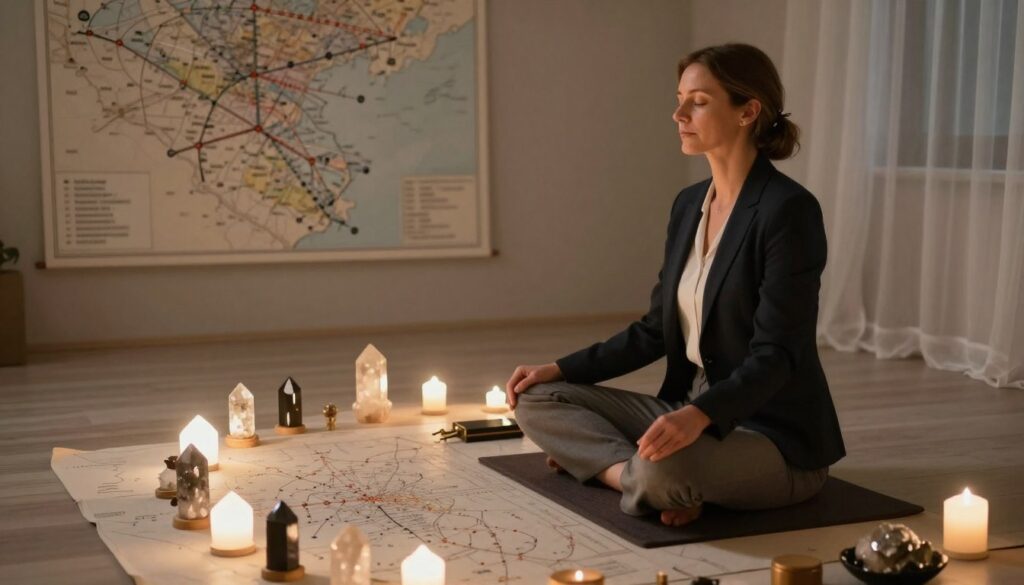
Set aside a clear, quiet block of time before you begin a session so your mind can settle and focus. A standard remote viewing session usually lasts 10–20 minutes. During that span you record sensory impressions, sketches, and short descriptions.
Preparing Your Environment
Choose a distraction-free room and turn off devices that might interrupt you.
Keep lighting soft and have paper and a pen ready. Professional training standards ask that you note your name, date, and start time on every sheet.
Managing the Session Timeline
Use a timer so you do not rush. Work steadily for 10–20 minutes and avoid changing tasks.
Do not look at the feedback photo or results until you finish and write a summary. A four-day embargo on feedback helps prevent bias when working with new targets.
Recording Your Data
Write down impressions, sensory notes, and small sketches as they come. Short, clear entries make later scoring easier.
After the session, compare notes to feedback only when the embargo ends. Chapters 8 and 9 of The Essential Guide to Remote Viewing provide a simple structure to follow.
- Set 10–20 minutes for the viewing session.
- Record name, date, start time, and impressions on paper.
- Wait the embargo period before checking feedback or the photo.
For more structured training and exercises, see practical training resources on this page.
Safety and Ethical Considerations for Viewers
Protecting your mental health is the first responsibility when you sit down to a session. Choose images and exercises that fit your comfort level. What feels harmless to one person may upset another.

Maintaining Mental Well-being
Be aware of personal triggers. For example, someone with a fear of water should avoid targets that depict oceans or large lakes. Small cues can spark intense feelings.
We exclude disturbing or highly emotional events and esoteric subjects like UFO sightings or Bigfoot to keep practice constructive. This helps viewers stay safe and focused.
“Choose your session material with care; your approach affects how your mind responds.”
- Take responsibility for your own safety and skip anything that feels risky.
- Pause and stop a session if you feel upset or overwhelmed.
- Keep sessions short and allow recovery time afterward.
If you want guided support, consider professional options such as psychic readings to learn safer ways to practice.
Conclusion
Consistent practice and clear notes are the keys to steady progress. Log each session, record impressions, and give yourself time before checking feedback.
The feedback photo completes the loop: compare your notes to the image and score your results. This habit trains the mind and refines how you approach each viewing session.
Whether you are working with curated targets or larger archives, patience and accurate data build skill over time. Explore further tips and reflections at psychic insights to support your practice and growth.
FAQ
What are coordinate-based target pools and how do they work?
Coordinate-based target collections assign a set of numbers or coordinates to individual viewing assignments. Participants use only those coordinates as prompts, then record impressions and sensory impressions without prior context. After sessions, feedback—often a photograph or description—helps viewers compare impressions to the actual target. This method helps build skill by isolating the mind’s responses from expectation and memory.
How do I define a clear target for a session?
A well-defined target has a unique identifier (such as a numeric coordinate), a single focal point, and a definitive feedback file. Avoid ambiguous or compound targets that combine multiple sites or events. The goal is to give the viewer one clean stimulus and later provide concrete feedback so progress and accuracy can be measured.
What is the role of feedback in improving performance?
Feedback is essential. It closes the learning loop by showing what matched and what didn’t. Receiving a photo, map excerpt, or detailed description helps the viewer correct biases, refine techniques, and develop pattern recognition. Regular, timely feedback accelerates learning far more than unguided practice alone.
Where can I access coordinate-based target collections for practice?
Look for reputable communities and educational platforms that host structured target collections with clear protocols and feedback systems. Organizations like the International Remote Viewing Association (IRVA) and established training sites often list practice groups and archived target sets. Choose groups that emphasize accountability, documented feedback, and peer review.
How should I prepare my environment before a session?
Create a quiet, comfortable space free of distractions. Dim lights if needed, arrange paper or a recorder, and limit interruptions for the session duration. Mental preparation—brief relaxation, focused breathing, or a short grounding routine—helps stabilize attention and improves clarity during the session.
What’s the best way to manage session time and pacing?
Establish a clear timeline before you begin: start with a short warm-up, then move into timed observation blocks with planned breaks. Typical practice uses 20–40 minute sessions divided into segments for sensory impressions and sketching. Use a visible timer and stick to the schedule to maintain consistent conditions across sessions.
How do I record and organize data from sessions?
Use a standardized log format for each session: date, coordinate, duration, impressions, sketches, and any meta-notes about confidence or state of mind. Store scans or photos of sketches and maintain a digital folder structure for easy retrieval. Consistent labeling and backups make later analysis and comparison with feedback straightforward.
What safety and ethical considerations should viewers keep in mind?
Respect privacy and avoid targeting private residences or individuals without consent. Monitor your mental and emotional state; stop sessions if you feel distressed. Share results responsibly and avoid making definitive claims about sensitive matters. Ethical practice protects both the viewer and the subjects of practice targets.
How can I maintain mental well-being while practicing this skill?
Balance practice with rest, physical activity, and social support. Set limits on session frequency and duration to prevent fatigue. Use grounding techniques after sessions and seek peer or mentor feedback if sessions trigger anxiety. Prioritize overall health—sleep, nutrition, and exercise—to sustain consistent performance.